Features
Everything included in Pro Poker Tracker.
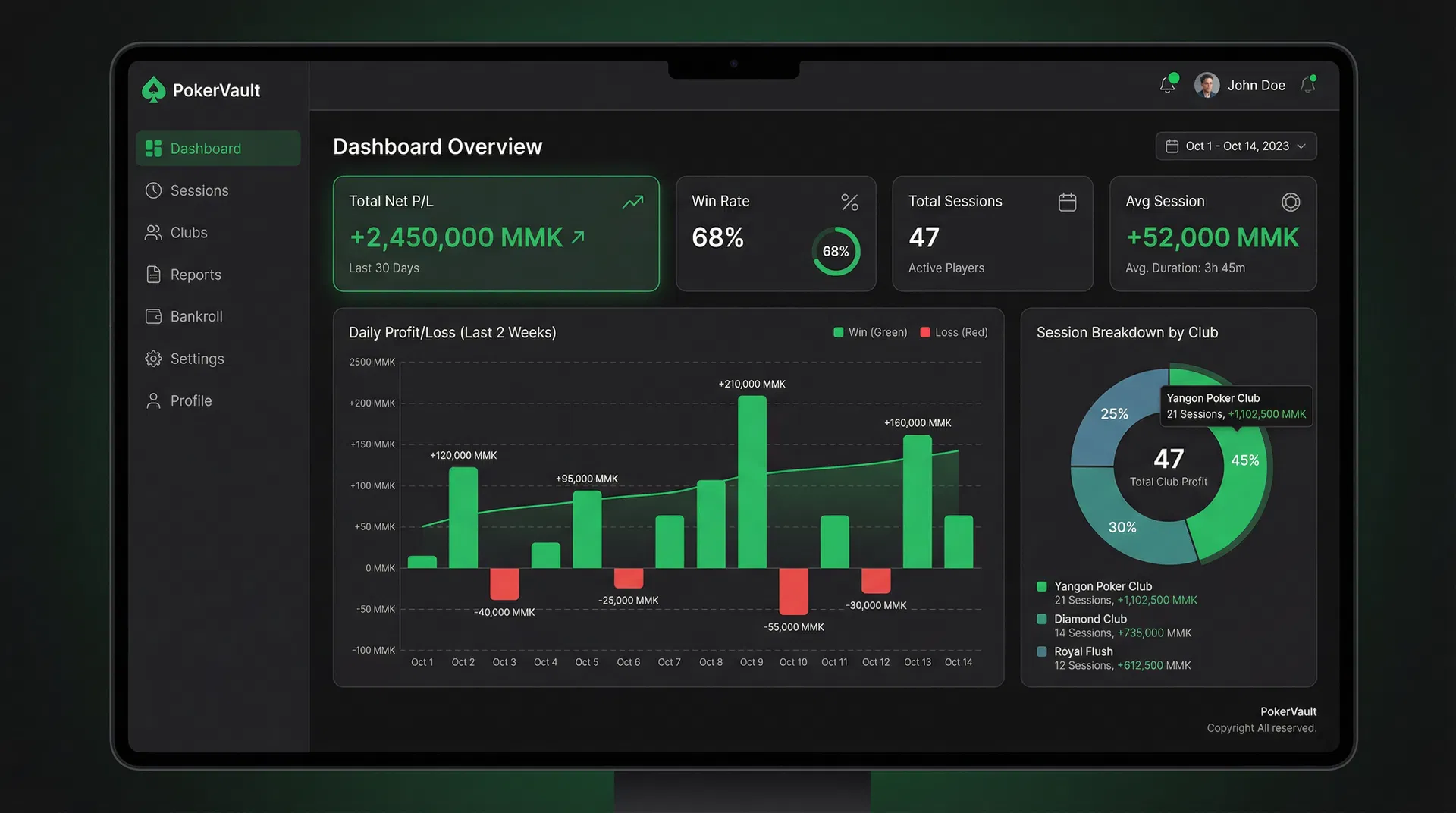
Analytics Dashboard
Track total net P/L, win rate, session count, and average session profit. Daily profit/loss bar charts and session breakdown by club give you the full picture.
- Total net P/L with trend indicator
- Win rate percentage
- Daily profit/loss bar chart
- Session breakdown by club
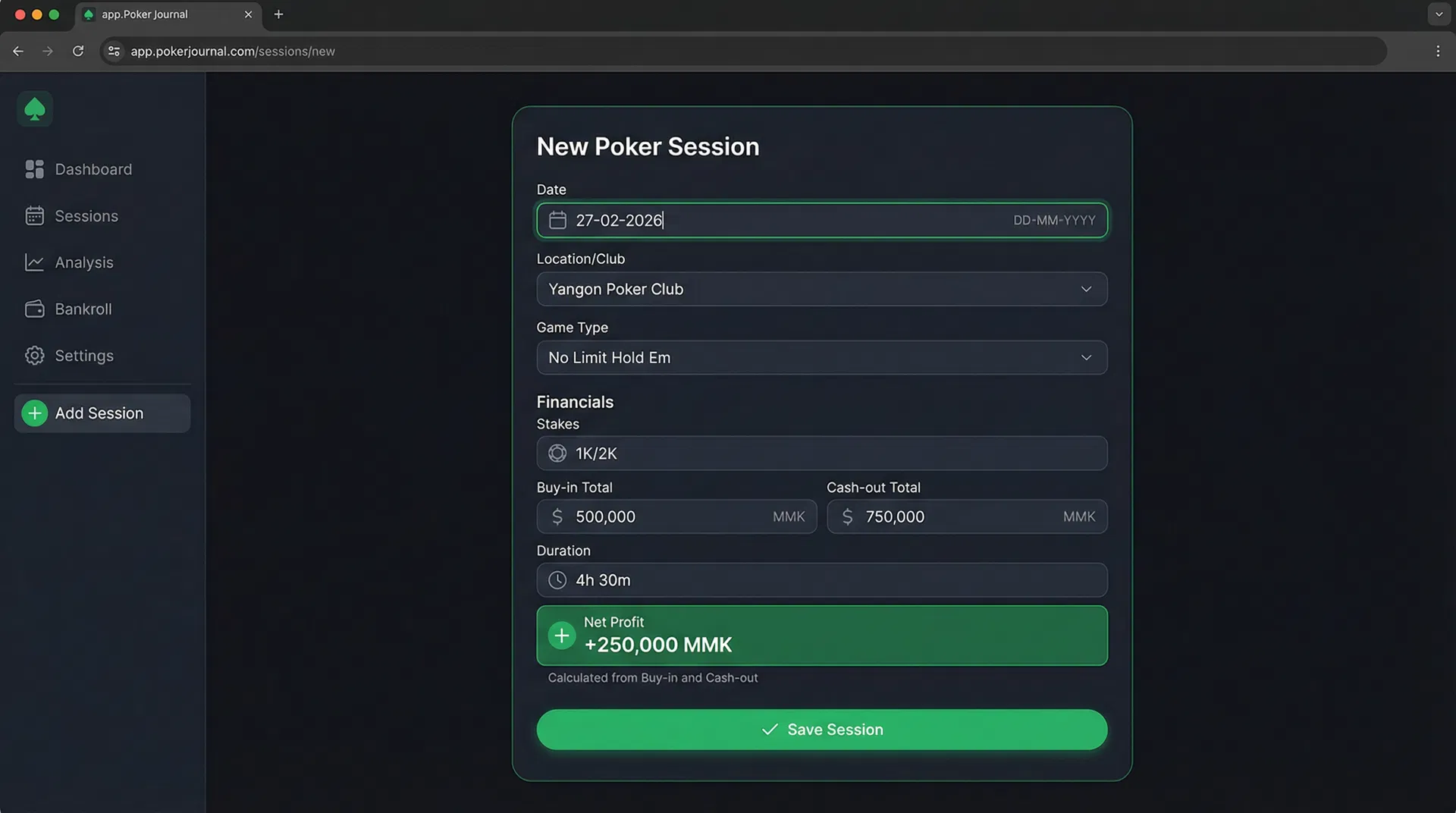
Session Tracking
Record date, location, game type, stakes, buy-in, cash-out, and duration. Net profit is calculated automatically. DD-MM-YYYY format throughout.
- Auto net profit/loss calculation
- Club, game type, and stakes tracking
- DD-MM-YYYY date format
- Duration tracking per session
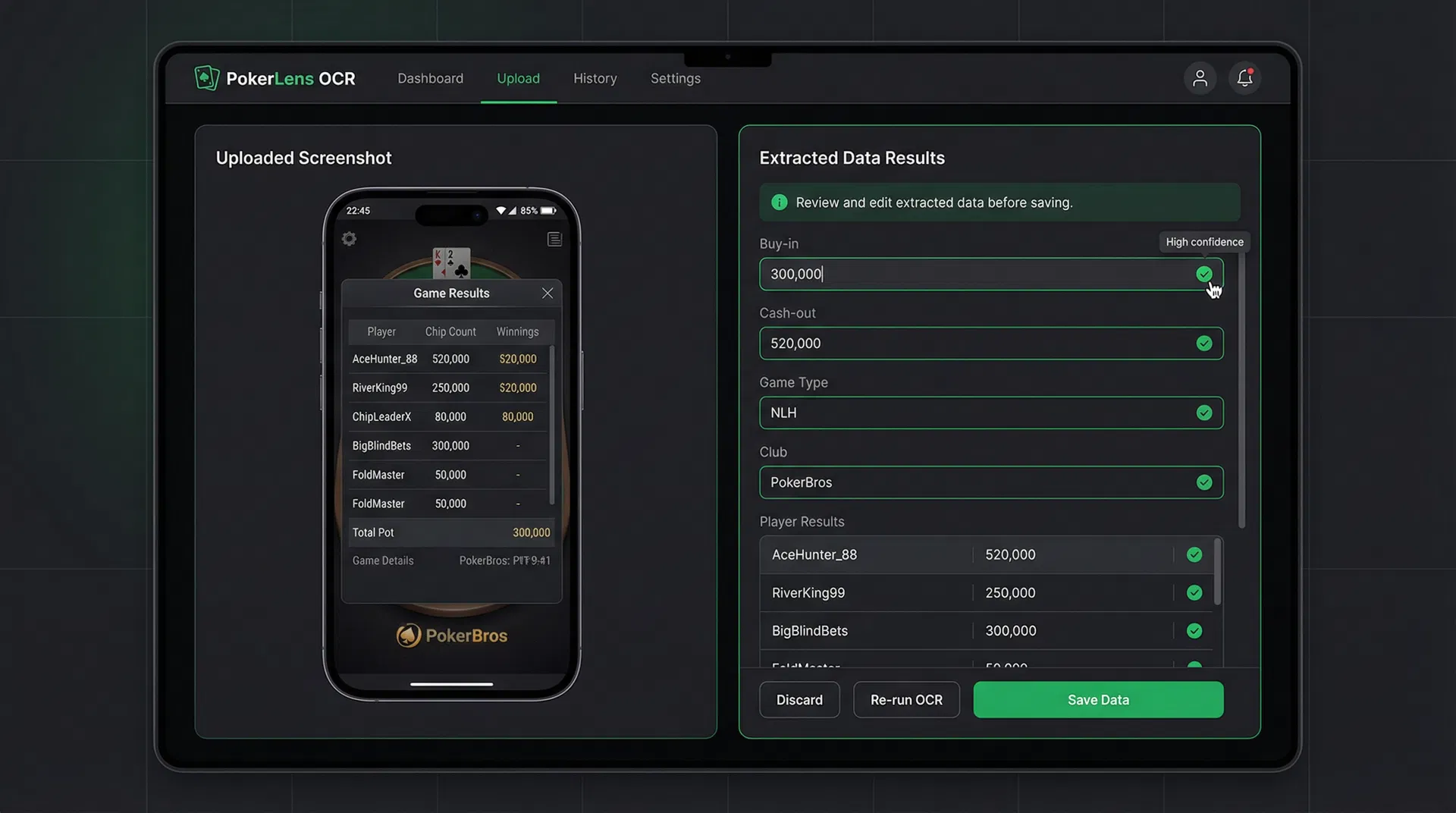
Screenshot OCR
Upload a screenshot from PokerBros, PPPoker, or any poker app. AI extracts buy-in, cash-out, game type, and club automatically. Review, edit, and save.
- AI-powered data extraction
- Confidence indicators per field
- Edit any field before saving
- Works with PokerBros, PPPoker, and more
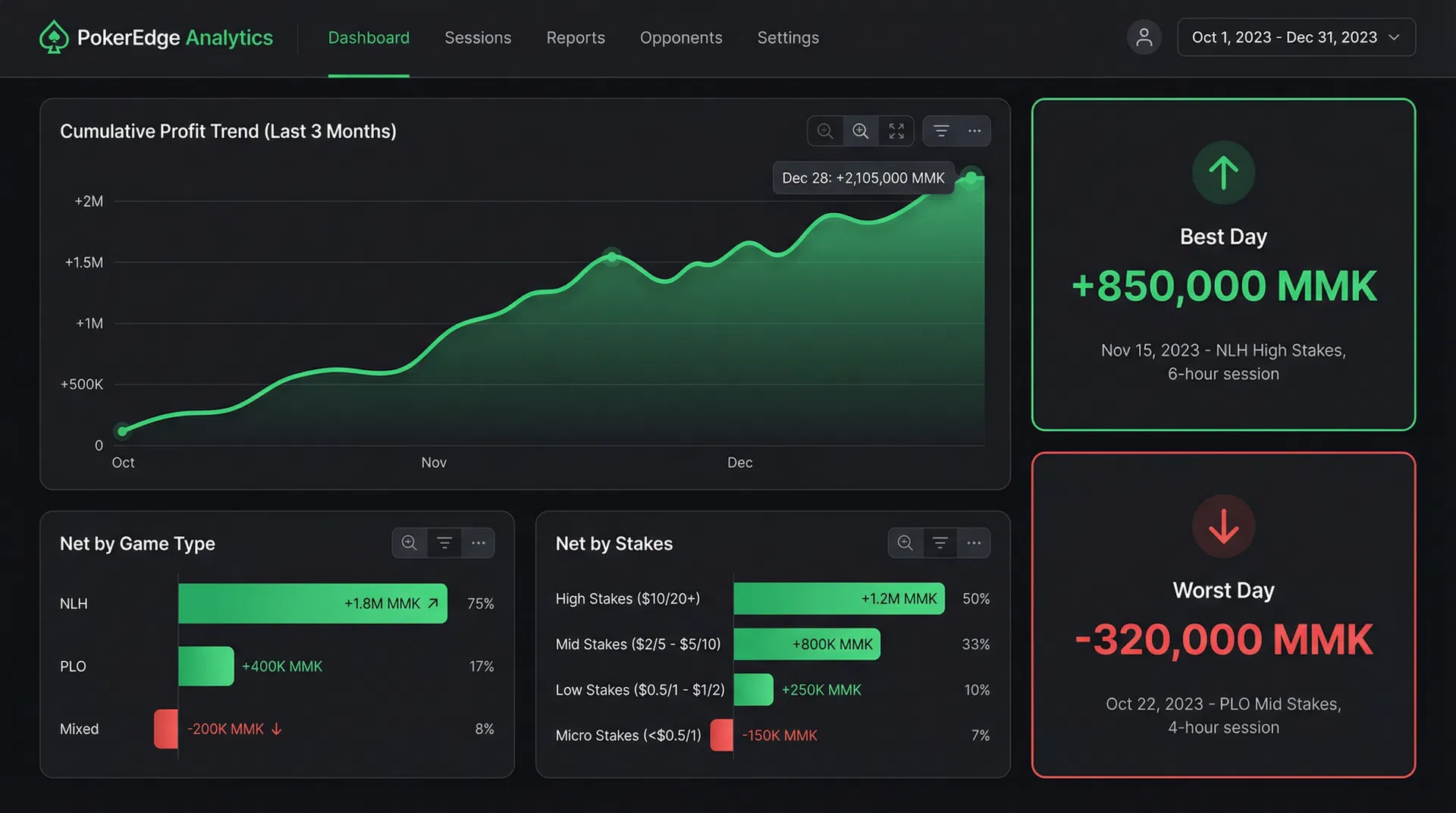
Deep Analytics
Cumulative profit trend over months, net by game type, net by stakes level, and best/worst day highlights. Know exactly which games are most profitable.
- Cumulative profit trend chart
- Net by game type breakdown
- Net by stakes level
- Best and worst day highlights
CSV Export
Export your full session history to CSV with optional date range filters. Use the data in spreadsheets for further analysis or record-keeping.
- Full session history export
- Date range filtering
- Compatible with Excel and Google Sheets
- All session fields included
Subscription Management
Manage your subscription with flexible payment options. Submit payment screenshots for manual verification, or pay online. 1, 3, 6, or 12 month plans available.
- KBZ Pay, Wave Pay, Bank Transfer
- Payment screenshot verification
- Flexible duration options
- Subscription status tracking
Session History
Browse all your past sessions in a sortable, searchable table. Click any session to see full details including screenshots, notes, and confidence scores.
- Sortable session list
- Quick profit/loss overview
- Click for full session detail
- Screenshot attachment viewing
Admin Panel
Admin users can manage all users, review payment screenshots, activate/deactivate subscriptions, and view system-wide analytics and revenue stats.
- User management
- Payment screenshot review
- Subscription activation control
- System analytics and revenue
Multi-Player OCR
Screenshots often show multiple players. Enter your player name or ID before uploading, and the AI will extract only your data from the table.
- Player name/ID identification
- Accurate per-player extraction
- Works with multi-player tables
- Reduces manual data entry